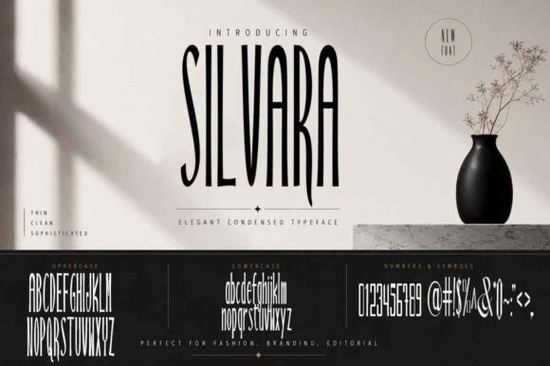
If you're looking for a bold, stylish display font that stands out on packaging, t-shirts, or social media graphics without feeling overused or overly decorative you’ll likely appreciate Silvara Font. It’s designed to be legible at larger sizes while carrying personality and quiet confidence. Unlike many trending display fonts that rely on extreme contrast or exaggerated flourishes, Silvara balances weight and rhythm in a way that feels intentional not loud just for the sake of it. That makes it especially useful for small businesses and crafters who need versatility across print and digital formats, without spending hours adjusting spacing or kerning.
When does Silvara work best?
Silvara shines where clarity and character matter most: product labels, wedding invitations, boutique shop signage, quote-based Instagram posts, and logo lockups for lifestyle brands. Because it’s a sans-serif display font with clean lines and open counters, it holds up well even at smaller sizes say, on a 2 oz candle label or a woven clothing tag. It’s not meant for body text or long paragraphs, but that’s by design. Think of it as your go-to for moments when the words need to be seen first, before anything else.
You’ll often see designers pair Silvara with a neutral, highly readable sans-serif like Matcha Cream Font for contrast using Silvara for headlines or brand names, and Matcha Cream for supporting text. That kind of pairing keeps hierarchy clear and feels cohesive, especially in branding kits or Canva templates.
How easy is it to use?
It comes with standard OpenType features (uppercase, lowercase, numbers, basic punctuation), so it works smoothly in most design apps Adobe Illustrator, Photoshop, Affinity Suite, Cricut Design Space, and even free tools like Canva (uploaded as a custom font). No ligatures or alternate glyphs to manage, which means less setup time and fewer surprises when exporting files for print vendors or POD platforms.
Because it’s optimized for readability at scale, you won’t need to manually adjust letter spacing as much as with tighter or more condensed display fonts. A quick visual check at 72 pt and 24 pt is usually enough to confirm it’s working across your intended uses.
Who’s using Silvara right now?
- Print-on-demand sellers applying it to minimalist t-shirt designs or enamel pin mockups especially for wellness, coffee, or botanical-themed shops.
- Small-batch makers printing their own soap labels or tea box stickers, where consistency and clean typography help build trust.
- Wedding stationery designers choosing it for “save the date” cards or ceremony programs where elegance shouldn’t mean hard-to-read script.
- Local cafes or boutiques building simple, in-house signage like chalkboard-style menus or window decals that feel handmade but professionally composed.
It’s also popular among educators and content creators making printable classroom posters or motivational quote bundles because it scales cleanly across PDFs and PNG exports without pixelation or thin-line breakage.
What about licensing?
The license covers personal and commercial use including selling physical products (like mugs or tote bags) and digital assets (like Canva templates or Procreate brushes) that feature the font. You don’t need an extended license for standard small-business applications, which simplifies things if you’re just getting started. Just keep in mind: you can’t resell or redistribute the font file itself, and embedding it in web fonts or apps requires a separate license.
If you’d like to compare it visually with other modern sans-serif display options, you can explore Silvara Font alongside similar styles on Creative Fabrica. And for reference, you can also view Silvara Font directly on Creative Fabrica’s site to see live previews and user-submitted mockups.
A few practical tips before downloading
- Test it in your actual workflow first drop it into a real project file, not just a blank document.
- Check how it pairs with your brand’s primary color(s); bold fonts like Silvara can sometimes overpower softer palettes if not balanced with ample white space.
- For t-shirt or vinyl cut files, outline the text before sending to your cutter this avoids font substitution issues.
- If you’re using it for social media, export as PNG with transparent background for clean overlays on photos.
Finally, if you already have a favorite sans-serif but want something bolder and more distinctive for standout moments, Silvara is worth trying next it’s straightforward, reliable, and quietly confident. No extra plugins, no learning curve, just clean impact where you need it most.
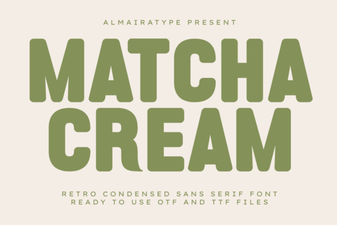 Matcha Cream Font: Elegant Design Inspiration
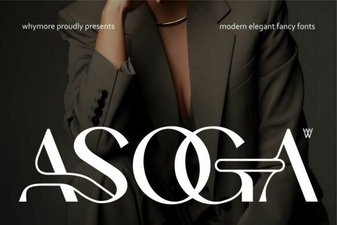 Asoga Font: Creative Design & Versatile Typography
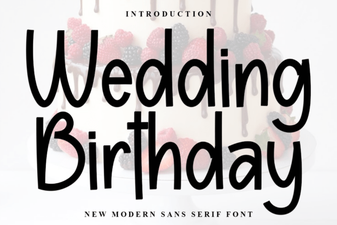 Elegant Wedding & Birthday Font Collection
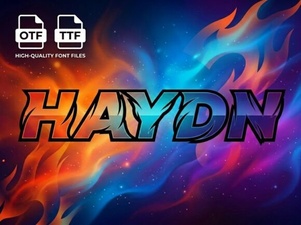 Haydn Font: Elegant & Versatile Design Inspiration
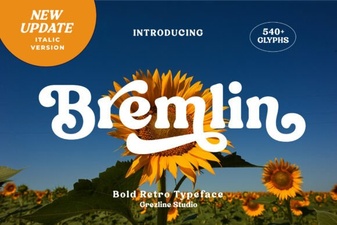 Bremlin Italic: Elegant Design & Creative Typography
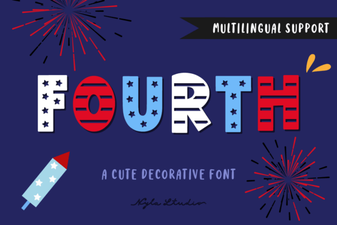 Fourth Font: Creative Typography for Design Projects