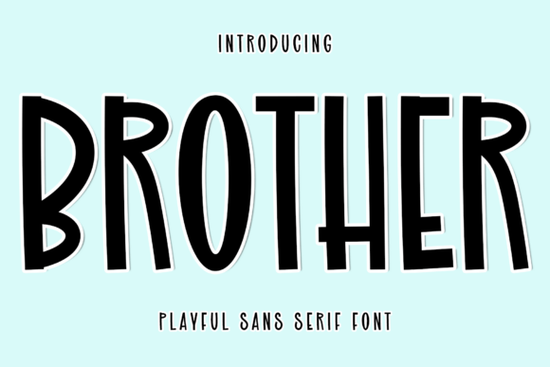
If you're looking for a handwritten script font that feels personal but polished something that works as well on a wedding invitation as it does over a softly lit lifestyle photo Brother Font is worth your time. It’s not overly ornate or fussy, and it avoids the “too perfect” look of digitized calligraphy. Instead, it flows with gentle contrast, natural entry and exit strokes, and subtle variation in line weight just like confident, practiced handwriting.
When does Brother Font work best?
It shines where warmth and intention matter most: luxury wedding stationery (think save-the-dates, menus, or monogrammed napkins), small-batch product labels (like artisanal candles or organic skincare), and editorial use especially signature lines in magazine features or blog headers. Because it’s designed with readability in mind at medium sizes, it also holds up well in digital overlays, like Instagram story quotes or Pinterest pins featuring lifestyle photography.
That said, it’s not ideal for body text, long paragraphs, or anything requiring high legibility at small sizes. Think of it as a voice not the whole conversation. You’ll want to pair it with a clean sans-serif or a neutral serif for balance. For example, pairing Brother with a quiet, open typeface like Sparko gives contrast without competition. Or try it alongside Gardenia if you’re building a suite of script fonts with slightly different personalities Gardenia leans more romantic and delicate, while Brother feels grounded and quietly confident.
How do designers and small businesses actually use it?
We’ve seen crafters use Brother Font to personalize printable wedding kits adding names and dates directly into Canva templates without needing advanced design skills. Print-on-demand sellers apply it to mugs, tote bags, and framed art prints focused on phrases like “home is where the heart is” or “love grows here” phrases that benefit from soft, human-like lettering.
Small business owners in wellness, hospitality, or boutique retail often choose Brother for branded thank-you cards or email headers. It adds a tactile, handcrafted impression even when delivered digitally. One florist we spoke with uses it exclusively for her seasonal collection announcements, pairing it with muted watercolor backgrounds. The result feels intentional, not automated.
One thing to keep in mind: since Brother is a single-style script (no bold or italic variants), its versatility comes from sizing, spacing, and layering not weight shifts. Kerning adjustments help tighten up words like “forever” or “together,” and using OpenType features (if supported by your software) can activate alternate characters for more natural flow.
What are some realistic alternatives and when might you pick one instead?
If you need more flexibility like multiple weights or matching sans-serifs Haydn offers a coordinated family with both display and text options. It’s a good choice if you’re designing full brand identities, not just one-off pieces.
For something bolder and more expressive, Weird Vault brings playful energy and exaggerated swashes but it’s less suited to luxury or minimalist contexts. Use it when whimsy or personality is the goal, not quiet elegance.
You can also explore other modern script fonts on Creative Fabrica. For instance, Brother font is part of a thoughtful curation of display scripts, many of which include commercial licenses and easy-to-install OTF/TTF files.
A quick checklist before you download
- ✅ Confirm the license covers your intended use especially if selling physical products or using in client work.
- ✅ Test how it renders at your most common sizes (e.g., 24pt for invites, 48pt for social banners).
- ✅ Try pairing it with at least two supporting fonts one neutral, one complementary to see how it holds space.
- ✅ Check whether your design tool supports OpenType features (like ligatures or stylistic alternates) to get the most out of its natural rhythm.
If you’ve already got a project in mind say, a set of holiday greeting cards or a new logo lockup for your handmade ceramics shop open your design app, install Brother Font, and try typing a short phrase with generous letter spacing. See how it feels. If it looks like something you’d want to write by hand or receive in the mail it’s probably the right fit.
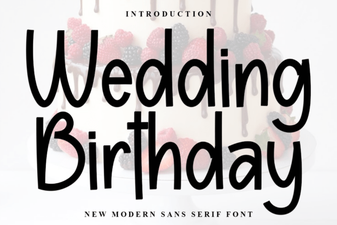 Elegant Wedding & Birthday Font Collection
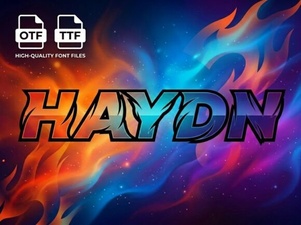 Haydn Font: Elegant & Versatile Design Inspiration
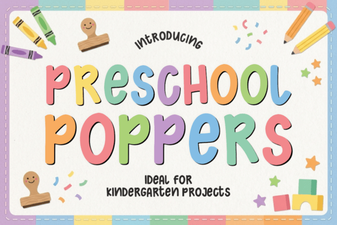 Playful Preschool Poppers Font for Creative Projects
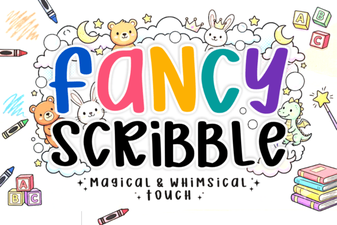 Fancy Scribble Font: Creative Design Ideas
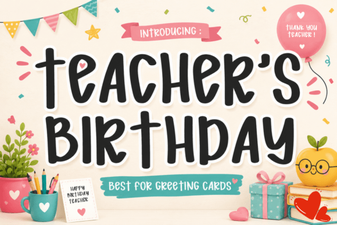 Playful Teacher’s Birthday Font Collection
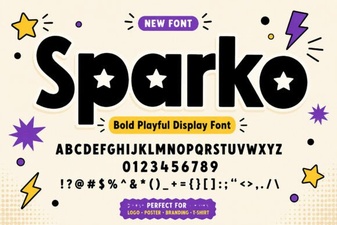 Sparko Font: Creative Design & Versatile Typography